Popup – Chrome Chart Notice
Switch off Display Scaling for Higher DPI Settings
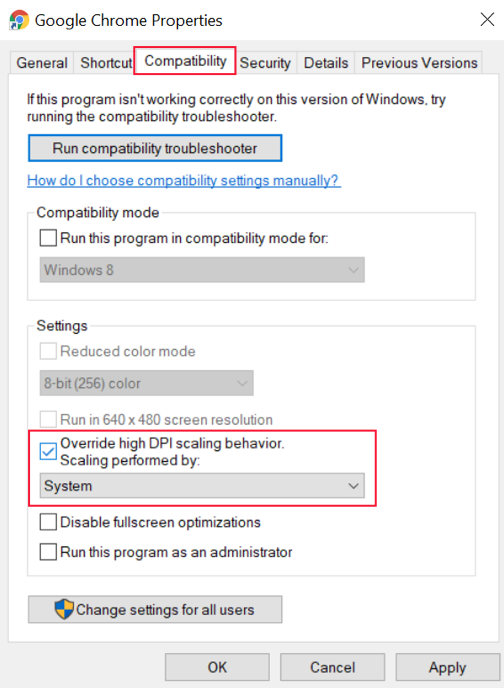
- Right-click a Google Chrome shortcut and select Properties from the context menu
- Click the Compatibility tab on the Google Chrome Properties window
- Under Settings, check the option for “Override high DPI scaling behavior.”
- Under Scaling performed by: choose “System”
- Click Apply and OK to apply the setting
- Restart Google Chrome